
Like pretty much every electric vehicle, my new Opel Corsa-e generates an artificial sound through a loudspeaker, called the Acoustic Vehicle Alerting System (AVAS). This driving sound is part of the vehicle type approval, and the requirements for it are set in UN ECE R138. I didn’t like this sound and I wanted to replace it with one that sounds more electric, like the frequency inverter of a subway train.
Of course I contacted the manufacturer of the AVAS module about this, but unfortunately my request never received any response.
Let me tell this right away: I have not found a way to change the AVAS sound using the CAN bus. It cannot be done through the OBD2 connector. The AVAS module has to be removed from the car (which is pretty painful as you have to do this from below) and opened, and the memory on the circuit board can then be overwritten with a suitable programmer.
AVAS Sound Module
My Corsa-e uses an AVAS module made by FIAMM, type A004BR; the part number 9839315880 is also printed on the module. The module is located at the bottom front of the engine compartment.
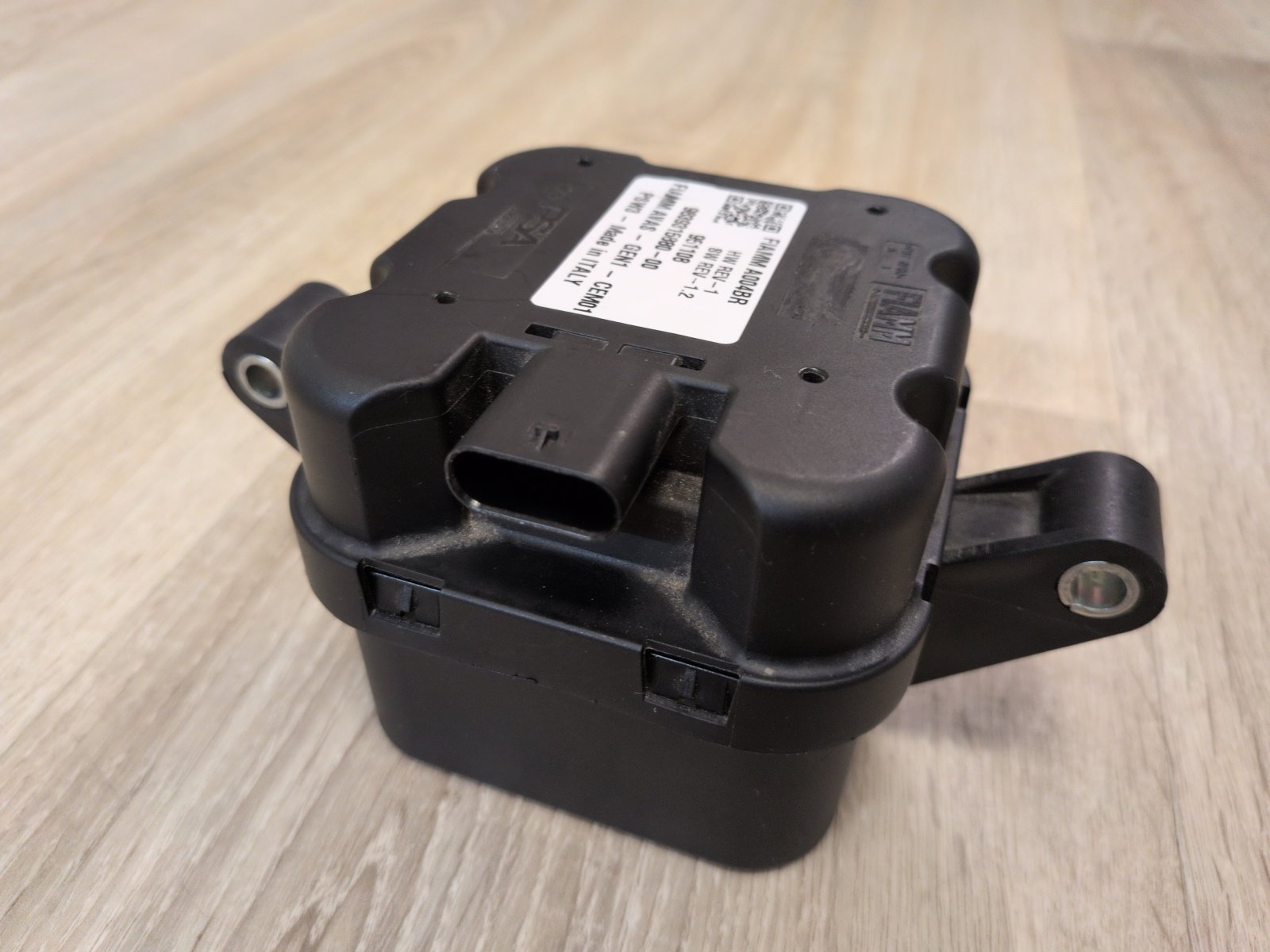
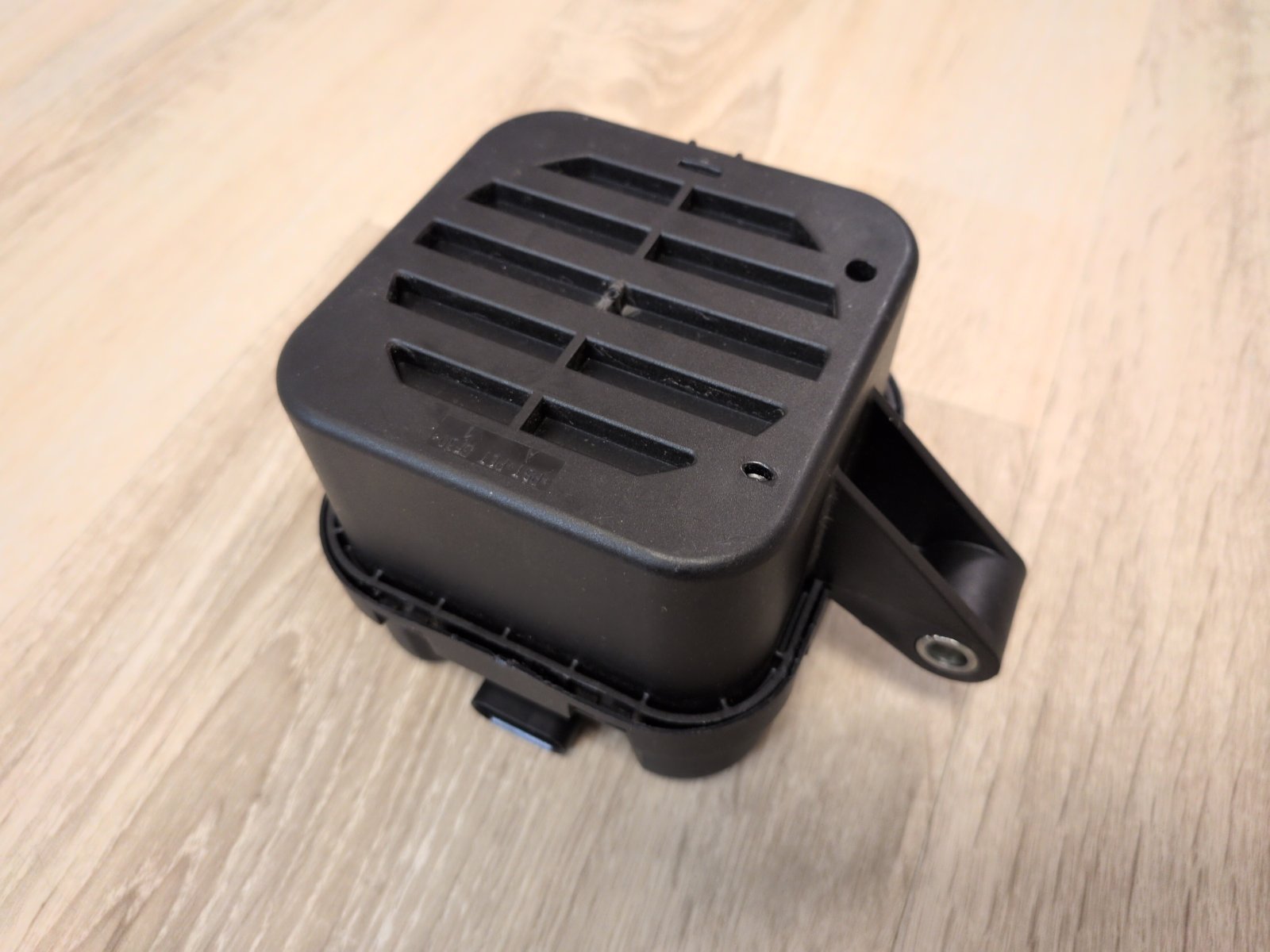
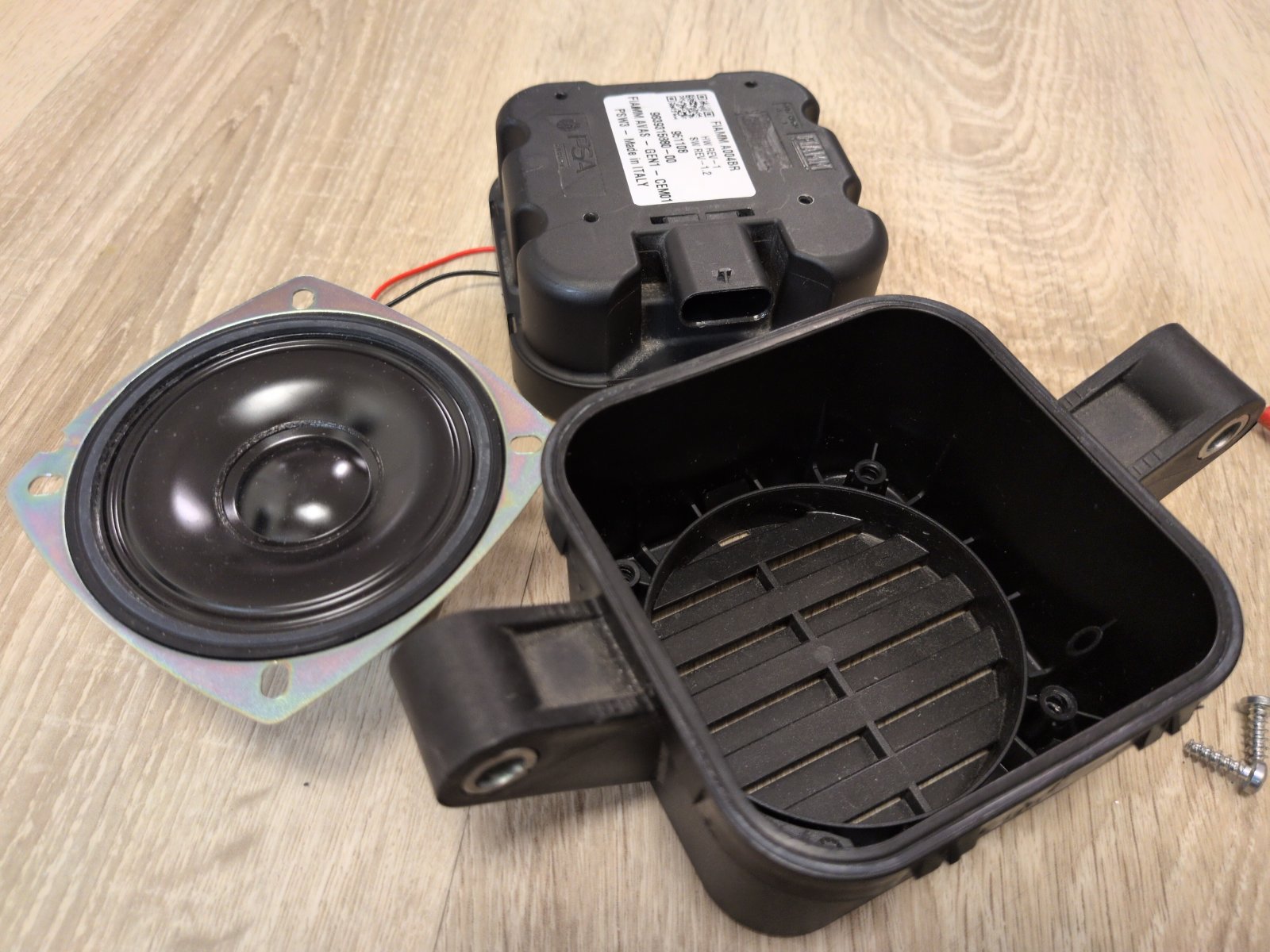
The whole thing is a loudspeaker box with what appears to be a waterproof membrane, housed in a splash-proof enclosure.
Searching for the part number turns up other vehicles that use this module, including:
- Peugeot: 208 II, e-208, 2008 II, e-2008, 3008 II (Hybrid), 408, 5008 II
- Opel: Mokka B, Mokka-e, Corsa F, Combo EV, Grandland X
- Citroën: C4, e-C4, C4 SpaceTourer
- Toyota ProAce Electric
What is described here should therefore also apply to these vehicles, provided they are fitted with the A004BR as well.
Configuration Options via CAN
Using vehicle diagnostics over the CAN bus, only three parameters can be changed on the control unit itself:
- Selection between 6 sounds
- Volume when driving forward
- Volume when reversing
Presumably because of their relevance to vehicle type approval, these settings can only be changed with SecureAccess, which works through a seed-key procedure that has since been cracked.
When changing the sound selection, it becomes apparent that only sounds 1 and 2 work, while the module stays silent with sounds 3 to 6. A “Sound 0” or “No Sound” option can be selected, but it is rejected by the control unit.
Reverse Engineering
There is little documentation on the AVAS module itself. Among other things, you can find the information that the device plays WAV files and that there is supposedly software that can be used to adjust the sound. I couldn’t find any more information, and as mentioned at the beginning, the manufacturer itself didn’t respond to my question either. So I got myself a spare part from a scrapyard.
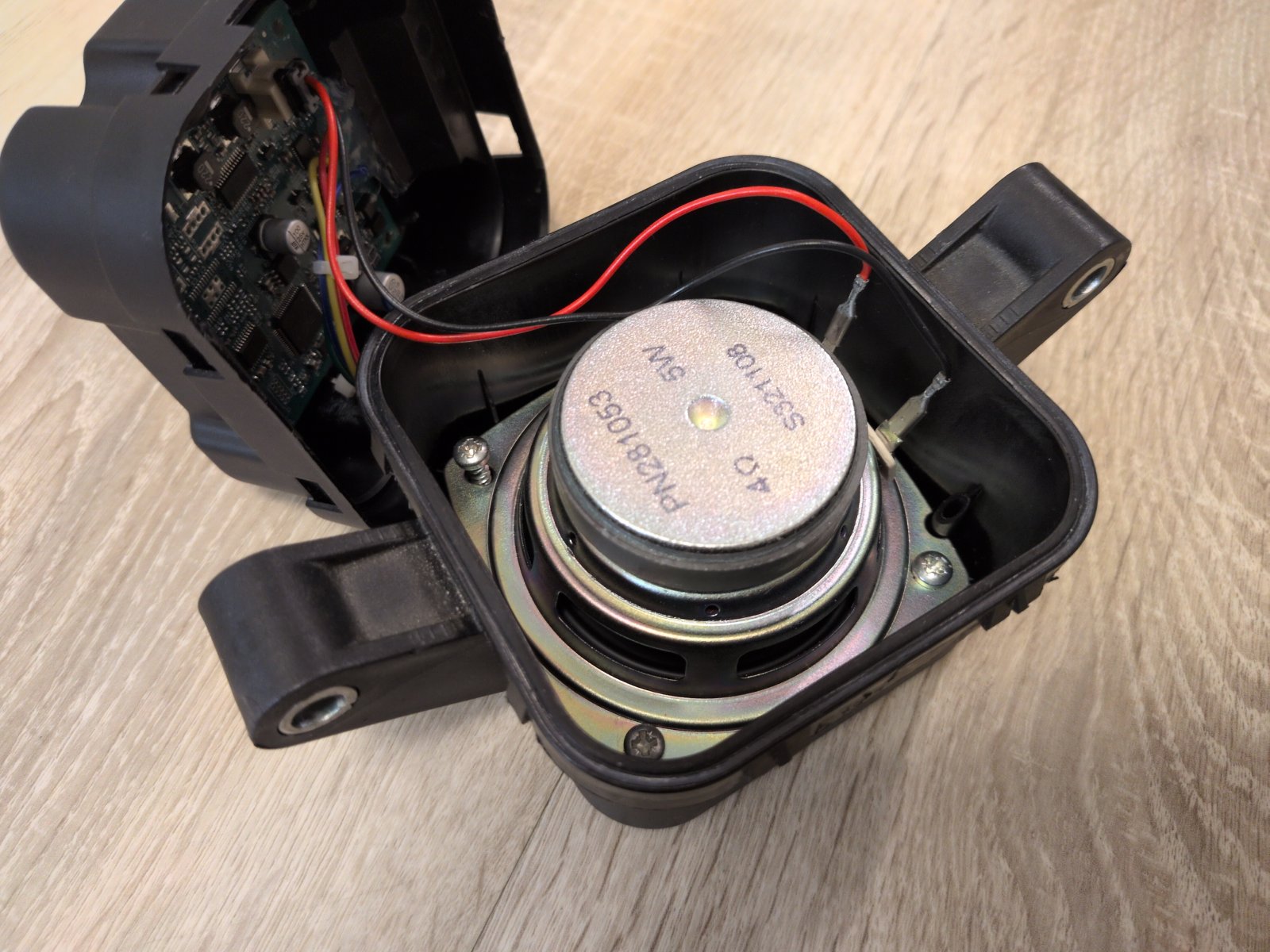
Opening the housing is fairly self-explanatory. Inside there is a circuit board and a loudspeaker. There are 6 connections (H1 to H6) on the circuit board, of which only 4 are used for the connector.
| Pin No. | Wire Color in Car | Function |
|---|---|---|
| 1 – H1 | White | +12 V |
| 2 – H2 | Yellow | CAN Low |
| 3 – H3 | White | CAN High |
| 4 – H4 | Red | Ground |
The components on the circuit board include the following:
- NXP S32K142 ARM Cortex microcontroller
- ISSI IS25LP016 SPI NOR flash memory (2 MB)
- Burr-Brown/TI PCM5100A stereo digital-to-analog converter
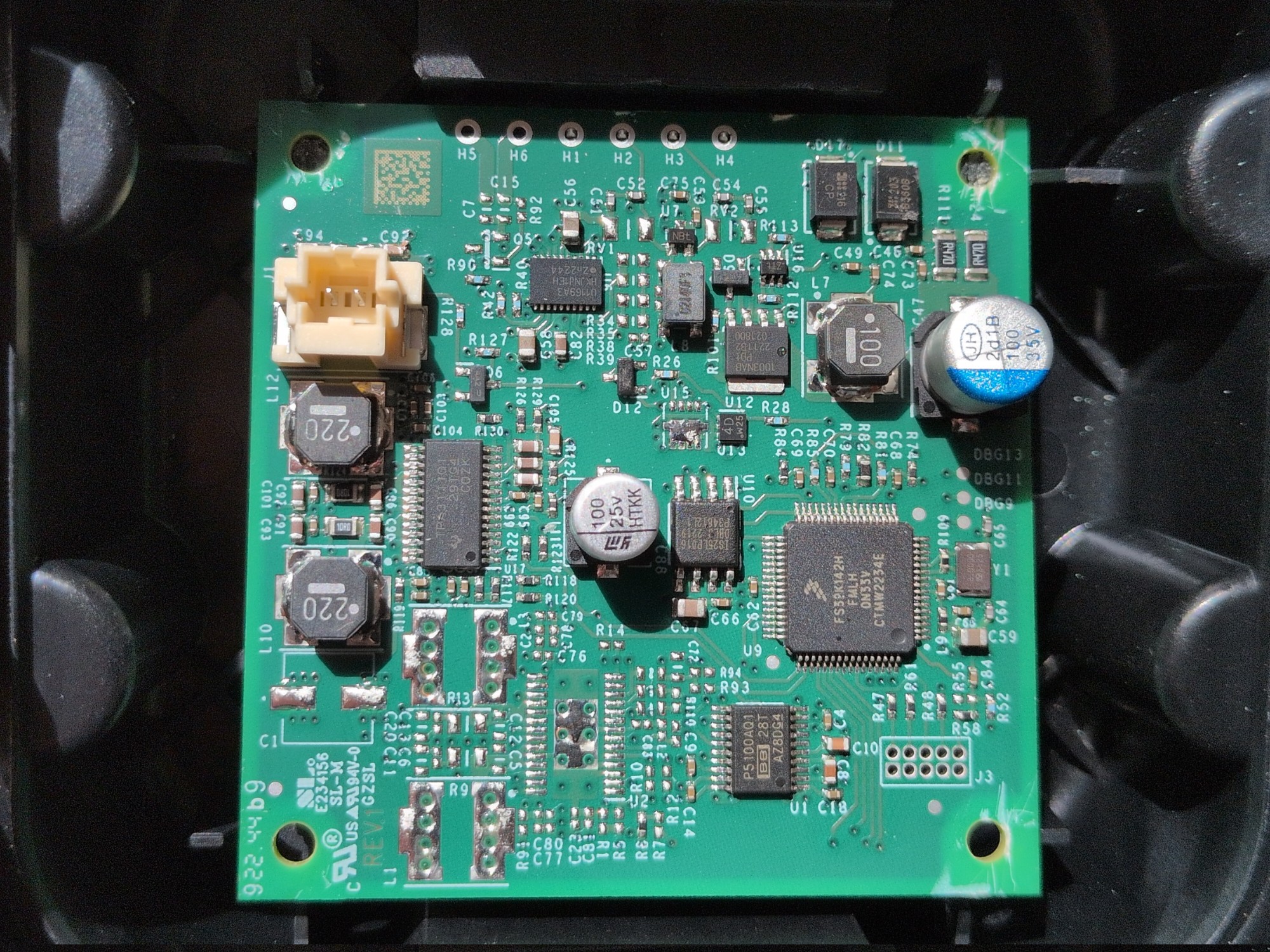
Since the S32K142 only has 256 KB of flash memory, it seemed obvious that the audio data would be stored on the external 2 MB memory.
J3 is probably a Cortex debug connector, which is not populated.
Flash Memory
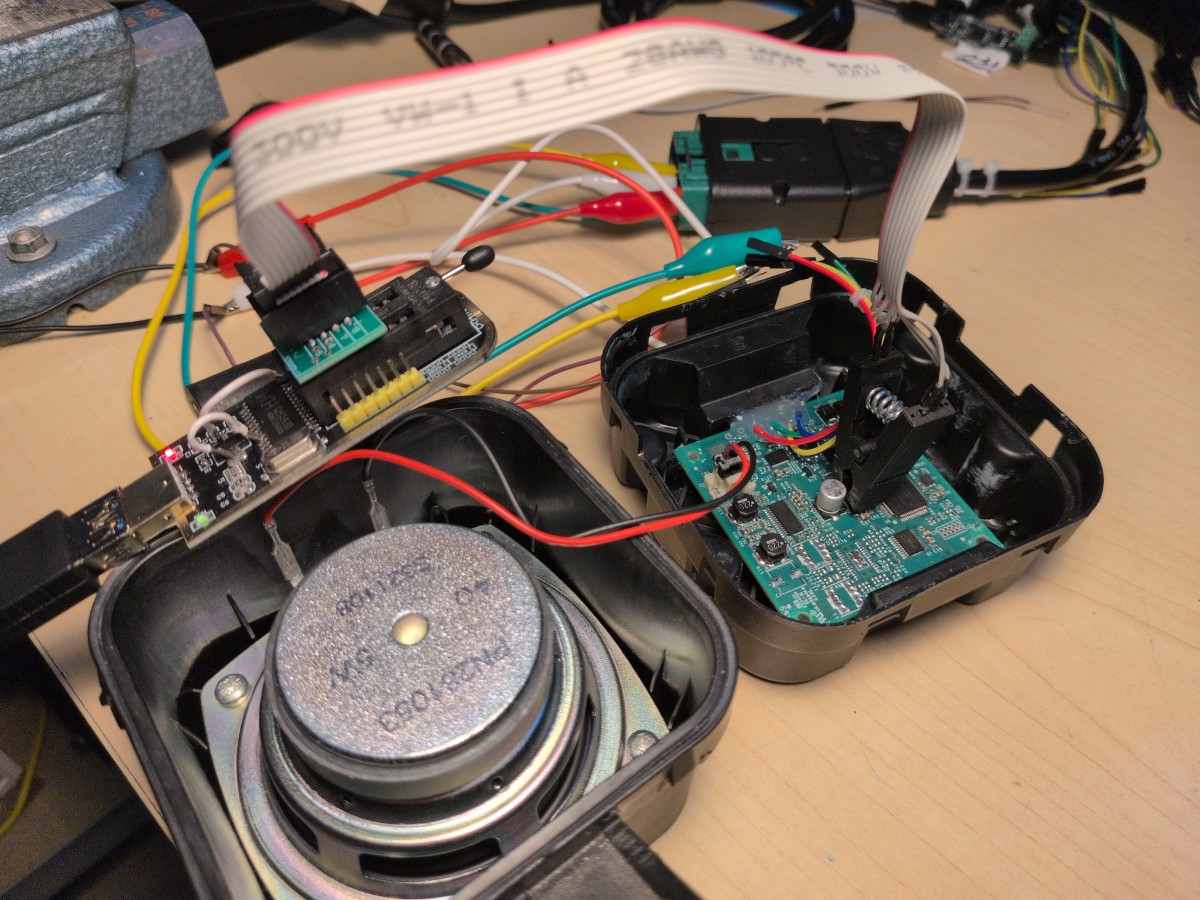
The IS25LP016 can be read and written with a suitable programmer that operates at the matching 3.3 V level, e.g. a modified CH341A. I was lucky at this point: with the right SOIC8 test clip, it works without soldering and without an additional power supply. You have to cut a few corners off the test clip, since two components would otherwise be in the way.
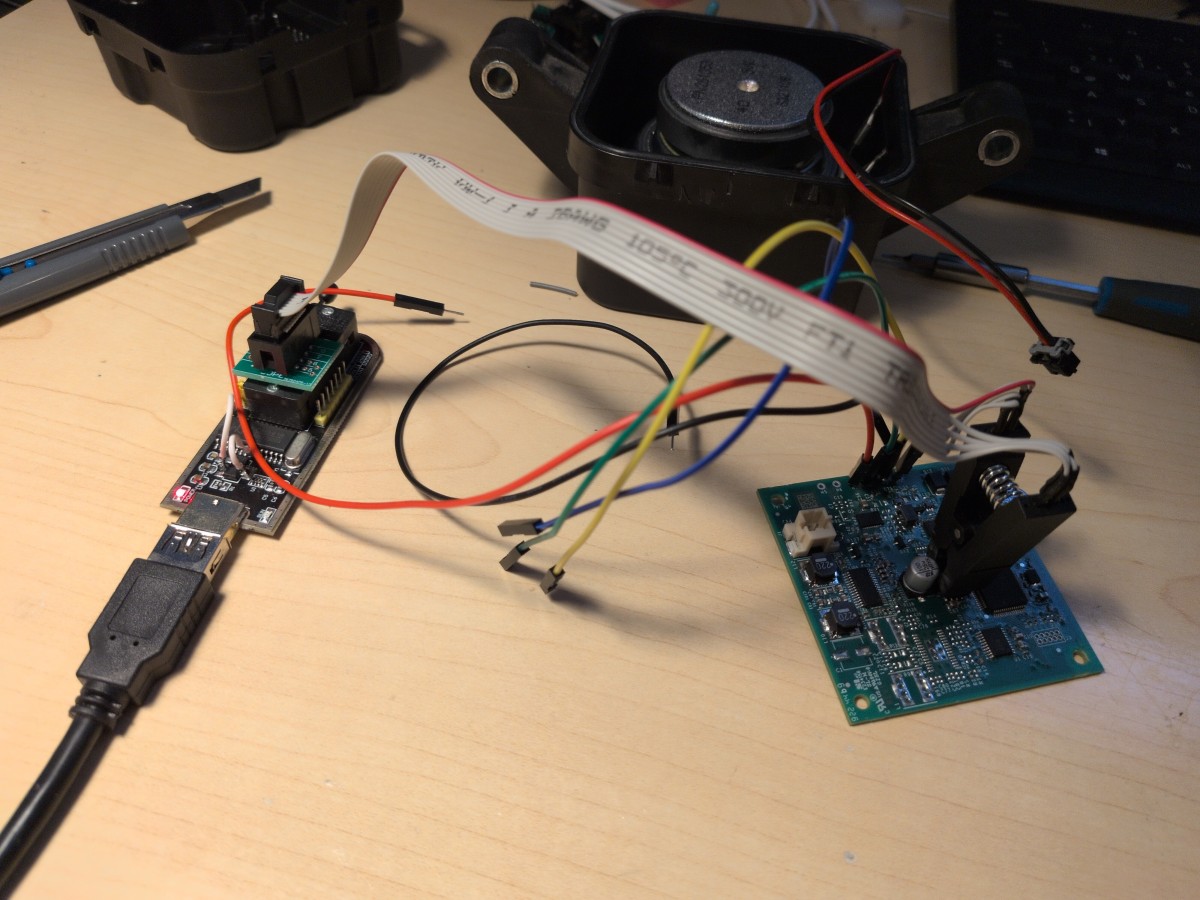
It turns out that the flash memory holds 6 WAV files, all of them identical. Replacing the WAV files requires knowledge of the exact memory layout and the data format, because these are not simply WAV files stored on a file system.
The 6 audio data sets are each stored as 128 kB blocks in memory: the first block starts at 0x000000, the second at 0x020000, the third at 0x040000, and so on. The remainder from 0x0C0000 to 0x200000 is filled entirely with 0xFF.
Structure of an Audio Block
- 0x000000-0x000003: Number of audio bytes that follow, as an unsigned 32-bit integer (e.g. 00 01 BF E4 = 114660 bytes of audio data follow)
- 0x000004-0x01FFFB: Audio data, remainder filled with 0xFF
- 0x01FFFC-0x01FFFF: Checksum (e.g. 82 05 35 D6)
The audio data is stored in the following format: stereo signed 16-bit PCM, big-endian. The AVAS plays the sound faster depending on the driving speed; a sample rate of 11025 Hz roughly corresponds to the sound at 5 km/h.
Checksum
The checksum is calculated over the entire block from 0x000000 to 0x01FFFB, including the length field and the 0xFF-filled area after the audio data. The trick is that the byte order of every 4-byte group is reversed before the checksum is calculated: for example, 0xC3A81F09 becomes 0x091FA8C3. The CRC32 checksum is then calculated from this and written to the 4 bytes in memory as big-endian. The checksum has to be correct, otherwise the device stays silent (without any entry in the fault memory).
The checksum was found by trying out about 67,000 possible variants; thanks to modern LLM tools, this kind of analysis can be carried out quickly with very little effort.
Replacing the Sound
My goal was to use the sound of the New York Subway (inspired by the tram from the video game Dead Space). To achieve this, I had Claude Code build a few small tools for me. In theory, the sound samples on the AVAS module could be somewhat longer, but I limited myself to generating the new files with exactly the same length of 2.6 seconds.
All tools are available for download here on GitHub. With the findings presented here and the source code, you can easily build something of your own as well.
Synthesizer
You need an audio sample that can be looped perfectly, so I created a synthesizer for this purpose. It breaks the provided audio file down into its frequency components and a noise component, and tries to generate a continuous characteristic from them that loops perfectly.
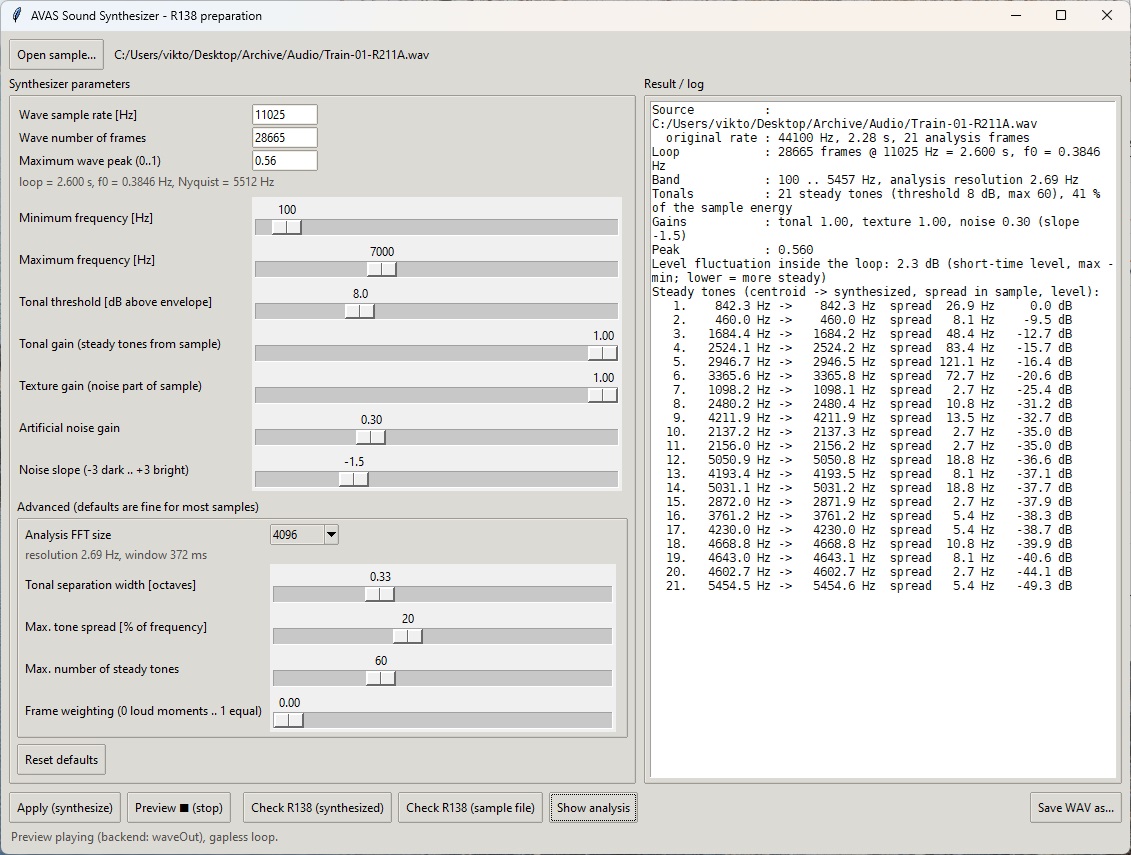
The synthesizer generates a WAV file directly in the memory format required by the AVAS.
The requirements defined in R138 (certain one-third octave bands must reach a prescribed level) can be roughly visualized with it. This is no substitute for an actual vehicle sound measurement, but it gives you an impression of whether the sound is suitable at all.
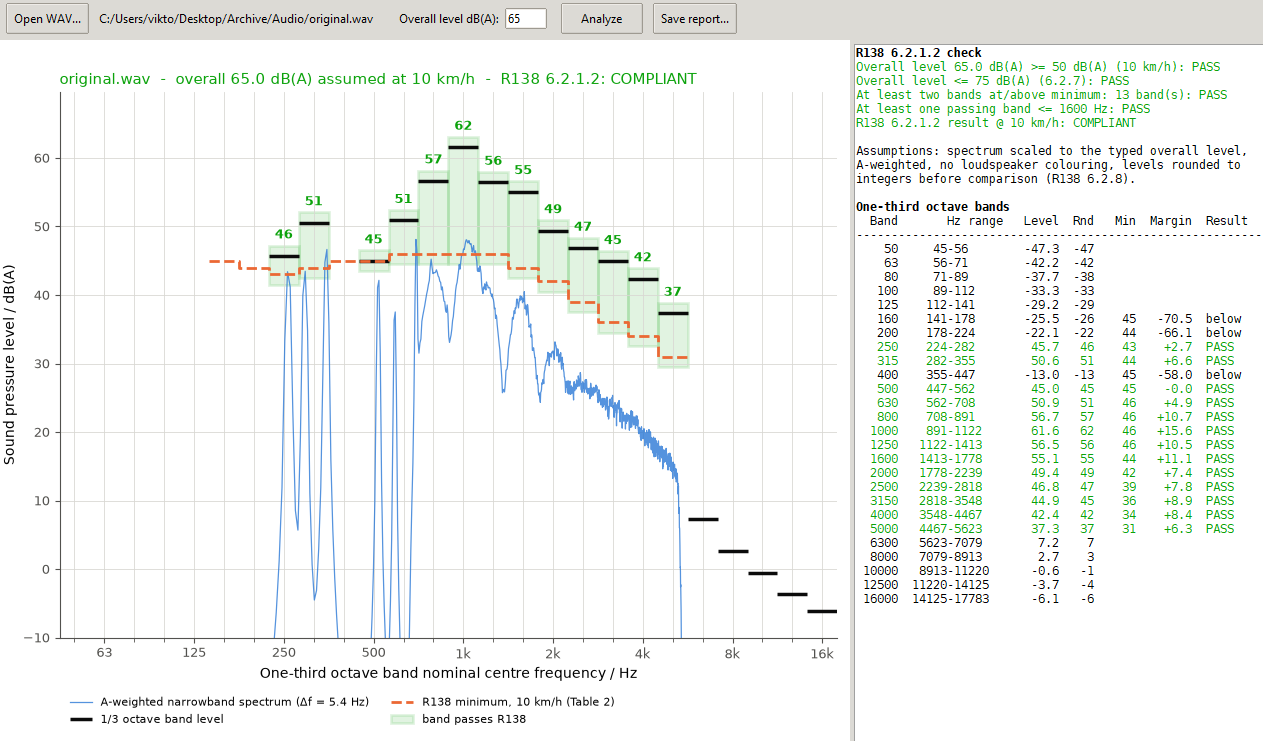
In the original sound, the audible tones are clearly visible in the spectrum, but a considerable part comes from the noise. Since the transfer function of the loudspeaker is not known, I would still consider this more of a gimmick.
Creating and Extracting the Flash File
Two Python scripts can extract the contents of a flash file into 6 individual WAV files and pack the 6 files back into a new file. The scripts are run from the command line: flashBinExtract.py expects a file named flash.bin, and flashBinGenerate.py creates a file named flash-new.bin, each in the directory of the respective script.
AvasCanUtil: Testing and Configuration
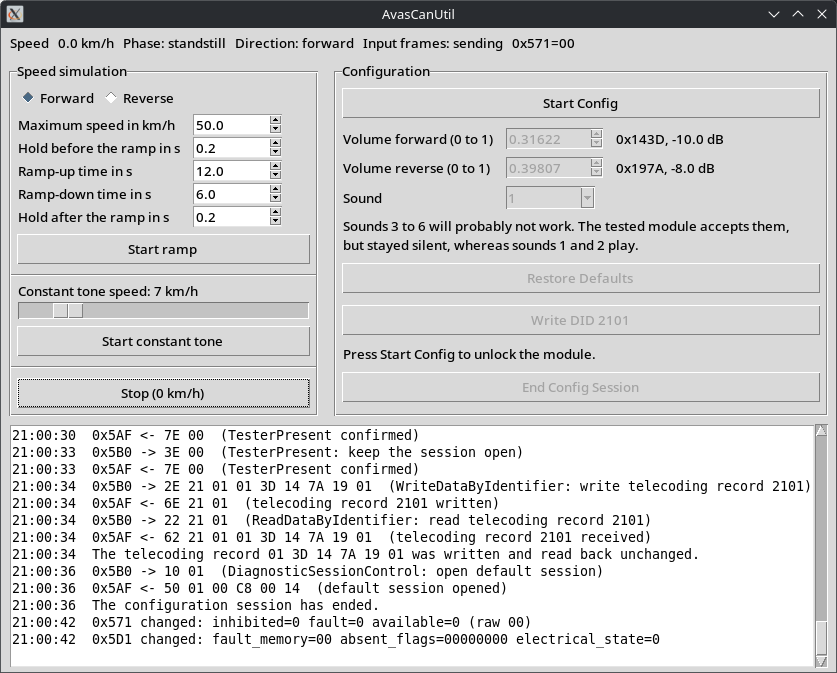
With a CANable connected via USB directly to the AVAS module and a 12 V power supply, this tool lets you simulate driving and listen to the sound; volume and sound selection can also be adjusted via the coding. The program is not intended for use directly on the vehicle, but only for testing purposes on the removed module with a CANable.
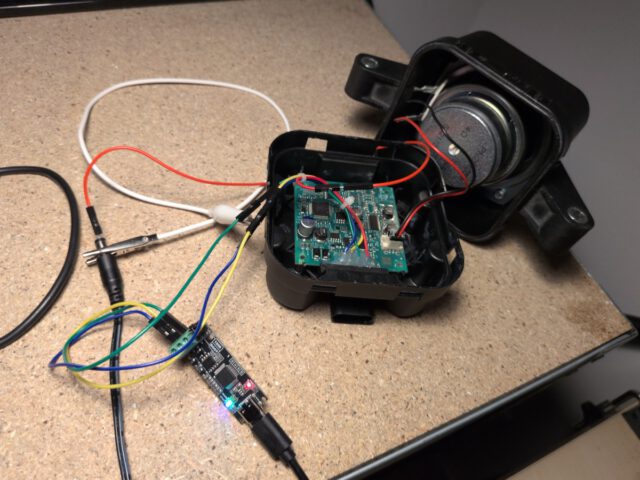
For testing, I soldered jumper wires onto the circuit board, which allows me to simply plug in the power supply and CAN lines.
Conclusion
So in effect, with the provided tools, a programmer and a SOIC8 test clip, you can load two sounds and switch between them via the CAN bus. On the car itself, switching can only be done with a suitable diagnostic tool that has a coding function, and something suitable for that will surely turn up as well.
Please don’t do anything stupid with this. It might be quite funny to have your car screaming its way around town, but without the artificial sound these vehicles are too quiet so pedestrians may not notice them in time.