
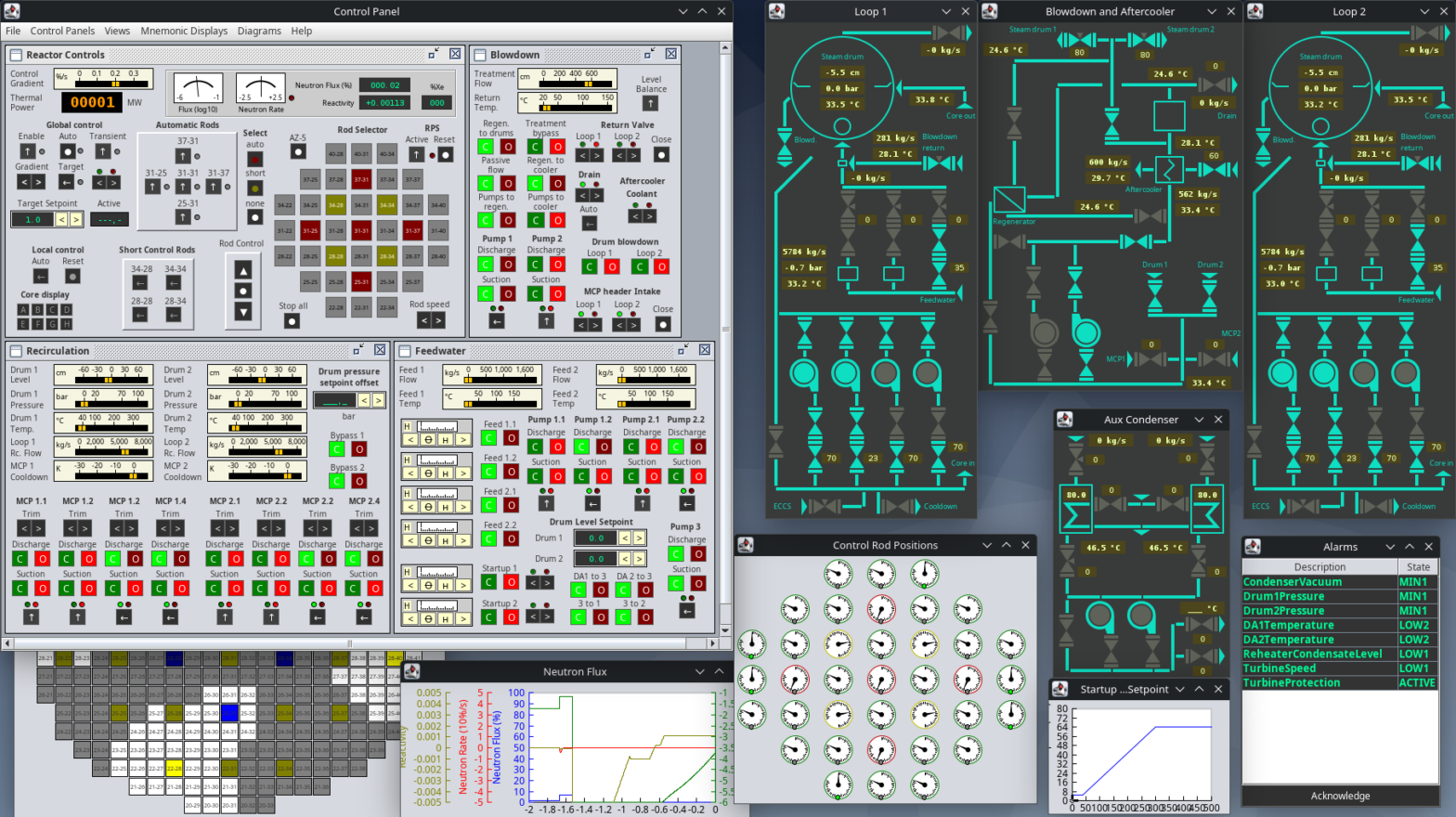
Operating power plants requires a detailed understanding on how different systems of the plant interact with each other, how water and steam are used to transfer energy and the limitation of control loops. This simulator allows you to try to start up the Chernobyl RBMK reactor, sync it to the grid and experience the complexity of power plant operation.
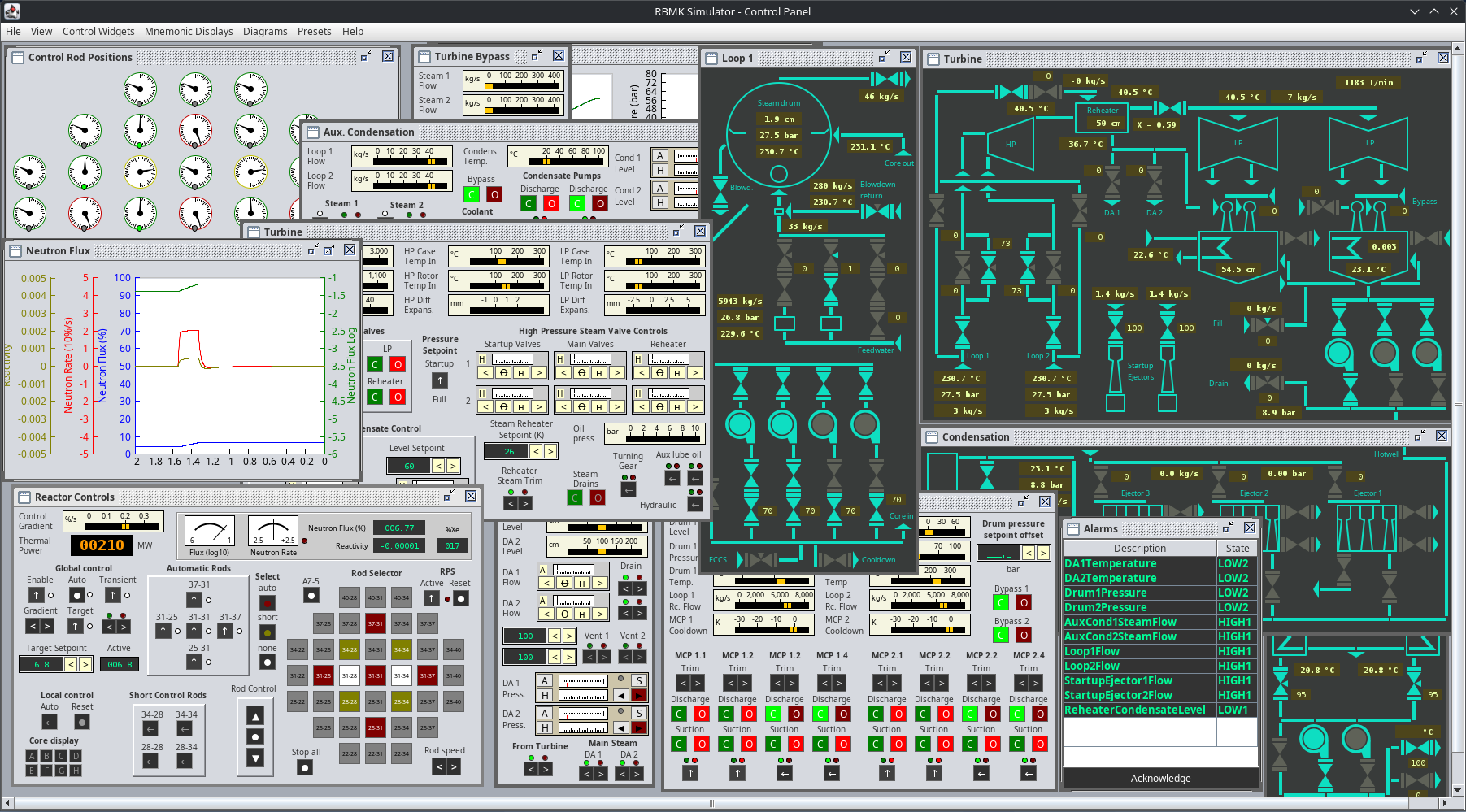
This project is currently in development. You can download the latest release on Github here. As it’s written in Java, it runs on pretty much every modern operation system. There’s a ready to run Windows executable available that runs out of the box or just the jar file that runs on any decent Java runtime.
This simulator focuses on operating the thermal systems of the power plant and is simplified in a way that it can be handled by one person. It is quite difficult for one person to be honest.
It features:
- Two steam drum separators (instead of 4)
- Simplified reactor with 5 automatic, 28 manual and 4 short control rods (instead of 170).
- One turbogenerator with steam reheater
- Mnemonic displays inspired by the actual control room
- Convenient line plots to monitor measurement time series
- Accident sequence (prompt neutron excursion) possible.
- Nasty reactor dynamics
- Network support for connecting additional clients to the simulation
Motivation
In 1998 there was a simulation called “Chernobyl: The Legacy Continues” which is actually a simplified, working power plant simulation. I used to work in coal fired power plants before and after my engineering graduation and had the chance to actually work on real control systems engineering, that simulator got my attention and I even wrote a startup manual for it. After switching to food machinery manufacturing I was able to finally deep dive into coding and got the skills to work on a successor to this masterpiece.
As I’m benefiting much of open source software here and many people provided valuable information free of charge, I decided to release this as free and open source software.
Usage
For a brief introduction, head to simulator usage. I strongly recommend you to read this as it contains the basics of operation.
For a in-detail manual on how to startup the plant, head to Startup Manual.
More manuals:
Technical Background
The simulator is using a combination of a physical network simulation and state space modeling to model the entire plant. To allow simulations in a broad range, things are simplified in a way that lacks numerical precision but allows a good dynamic behavior.
There is no real neutron simulation, the reactor is simplified by making nonlinear state space models that have an expected behavior. Basically it’s about balancing reactivity.
Does the simulation run in real time? In other words, would it take about 36 hours to start up the reactor following all the protocols?
Hi, it runs in real time but the modeled plant is modified in a way that does not require such long startup procedures. Turbine warming usually takes forever as it is tons of steel, the simulation only has some kilograms of mass there so those times are dramatically reduced. I tried to balance those timings in a way it is not needed to wait for unnecessary long periods of time.
Hello! Thank you for this very detailed simulator, I have a lot of fun playing with it! Really gives me a further understanding on how a nuclear power plant works. After a little bit of trial and error I manage to get it into 3200 MWth and generating 1000 MWe.
Tho I found something that appears to be a bug (please correct me if this is wrong). Whenever I tried to ramp down the reactor from 100% to < 10%, either very gently or with AZ-5, this error message appears and the simulation stops:
com.hartrusion.modeling.exceptions.CalculationException: Heat energy requsted but it is not in required updated state.
– at com.hartrusion.modeling.phasedfluid.PhasedNode.getHeatEnergy(PhasedNode.java:119)
– at com.hartrusion.modeling.phasedfluid.PhasedNoMassExchangerHandler.getInTemperature(PhasedNoMassExchangerHandler.java:301)
– at com.hartrusion.modeling.heatfluid.HeatNoMassEnergyExchangerHandler.doThermalCalculation(HeatNoMassEnergyExchangerHandler.java:139)
– at com.hartrusion.modeling.heatfluid.HeatAbstractFlowResistance.doCalculation(HeatAbstractFlowResistance.java:61)
– at com.hartrusion.modeling.solvers.DirectedFlowSolver.drainWorklist(DirectedFlowSolver.java:365)
– at com.hartrusion.modeling.solvers.DirectedFlowSolver.doCalculation(DirectedFlowSolver.java:283)
– at com.hartrusion.modeling.solvers.TransferSubnet.doCalculation(TransferSubnet.java:1005)
– at com.hartrusion.modeling.solvers.DomainAnalogySolver.lambda$buildSolverBatches$0(DomainAnalogySolver.java:258)
– at java.base/java.util.concurrent.FutureTask.run(Unknown Source)
– at java.base/java.util.concurrent.ThreadPoolExecutor.runWorker(Unknown Source)
– at java.base/java.util.concurrent.ThreadPoolExecutor$Worker.run(Unknown Source)
– at java.base/java.lang.Thread.run(Unknown Source)
The version I have is v0.3.5. Thank you!
Hi, thanks for this and your report. Seems like there is an issue with the changed solver algorithm, I’ll investigate this. You can try using the previous v0.3.4 release, this should not have this issue as the internal calculations are done in a way different manner and that one is well tested.
I am from Ukraine, I am 27 years old, and I am very curious of RBMK-1000. I am senior Power Plant operator on the diesel-electric ship (72600 kW nominal power; 6x DGs V12 engines). Could I buy this simulator just for myself and for my curiosity. I wanted to study physics, but couldn’t because of the war. But I am marine engineer and operator with few years experience. I have technical background and good real diploma. I have my Asus ROG Strix and want to try this simulator, but don’t know if I can buy. How much does it cost? This reactor was a little bit overengineered and wasn’t properly tested, what led to disaster in 1986.
Second Engineer Power Plant here…. RCCL… Azipod…
From Gdynia Maritime University
Hi, it’s free, there’s no price to pay. I used a lot of free software, people helped and shared viable documents with me for free, so here’s a free RBMK simulator. Just download the release on github with the link provided
I want play the simulator
where are you now? have you installed it?
I have very powerful CPU Ryzen 8cores, 64GB RAM and NVIDIA RTX 2080 but this Simulator barely works on my setup. Buttons react with delay, windows move so slow that I can see them being redrawn. Yet, on your GitHub stated that “It has many systems simplified to allow running even on low end hardware.” Something is not right.
Well, it runs almost fine on my ThinkPad X380 with i5-8250U CPU and just 8 GB of RAM, that’s the slowest hardware I have available for testing. The GUI works fine, no issues with window redrawing or such things. The other notebook available with Windows 11 is also around 5 years old and shows no issues. There’s no feedback like yours so far so I do guess it’s related somehow to your setup. Do you use some kind of upscaling to high DPI or show everything at the same time on one 4K monitor? Which release file did you use? When do those problems occur, right from start or with specific windows open? Have you tried to run the .jar file with a different Java distribution or did you use the bundled exe file provided?
I am using latest release of simulator, and my flavour of Java is IBM Semeru. I open just two windows Control rod position and Reactor Controls, then try to raise some rods and the program significantly slows down.
Did some testing with the Semeru JRE and Windows 10 and it is in fact significantly slower. It takes almost double the time to do all calculations and the GUI seems to lack resources when drawing the gauges. Having screen DPI scaling active gives a horrifying experience. There is some rework on the solvers planned anyway but for now I suggest you try using Adoptium Temurin. Solver rework will change the way multi threading is used which might trigger the issue but that will take some more weeks. Thanks for your report.
I have tried the latest release of Adoptium Temurin, but it looks like everything became even much slower. Sorry to say that. But I will wait for the next version of your simulator.
Well that’s how things work, I can’t and won’t filter feedback, so no need to say sorry. In fact, thank you for testing and reporting, this helps making the simulation better and avoid further bad experiences. I will priorize the solver rework with different thread use so there should be more resources available for the GUI in next release, hopefully that fixes the issues you have. It will take a week or so.
Hi Andre, I’ve made some changes in the solving algorithm with v0.3.5 which is now available for download. Let me know if performance is still as slow as before or if that helped. The amount of parallel threads have been damatically reduced.
What version of Java do you recommend? I am on Windows 10
Is there any discord servers ? I have questions. my drum 2 keep filling for some reasons/
No, there’s no discord, I don’t think I have time to manage community. Please send a save file via contact form and I’ll take a look what’s going on (and maybe implement a fix)
If you are interested in the real designs and schematics you might want to look at https://inis.iaea.org/collection/NCLCollectionStore/_Public/18/001/18001971.pdf
It’s the soviet report for the IAEA about Chernobyl accident. From page 276 you can find schematics and design values.
That aside thank you and please keep releasing updates ( can’t wait for the deareators vents to be functional).
There’s a little bug: MCPs 1.3 and 2.3 are labeled 1.2 and 2.2 respectively.
Any chance for an x86 (32 bit) version for those of us with older machines?
Hi Steve, the simulator releases are build with Java 17 and they include a standalone build for Windows x64 for convenience, but the release also includes the .jar-File that can be run with any Java 17 runtime and newer on any plattform. Adoptium provides Java 17 for x86, I suggest you try downloading Temurin 17 JRE for x86. If no jar file extension is configured in your OS by that installation, you can run the jar file with the command “java -jar RbmkSimulator.jar” from command line.
I’ll give it a go…thank you
Hi, i noticed there is a “start server button” and a client exe where you enter an ip, how do you start the server, cause the button appears to do nothing, where would one loctate the ip to enter and join frineds
It starts a server on port 26486 on your computer and clients can connect to that using your IP address. I will add some feedback on server state some day. It’s not designed to be used via unsecure internet connections, just in local network or using VPN. Hosting directly via the internet is possible but I highly recommend not to do that as the connection is not encrypted.
I was wondering if the different presets (all controls & all mnemonic displays) were on a different UI such that it could be quickly ‘alt-tab’ ed for people like me who dont have multiple displays or keybinds to switch between different presets.
These are just so that we dont waste precious time on switching between controls and data pages during critical moments.
Thx 🙂
Hi, you can just use “File” – “New Panel Window” and that will open a new window which can be used for exactly that.